Category Archives: Guest Posts

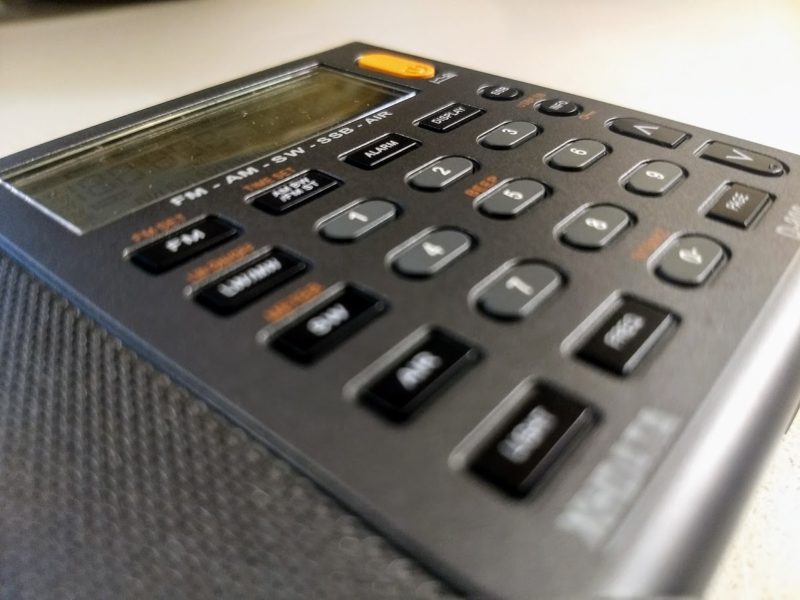
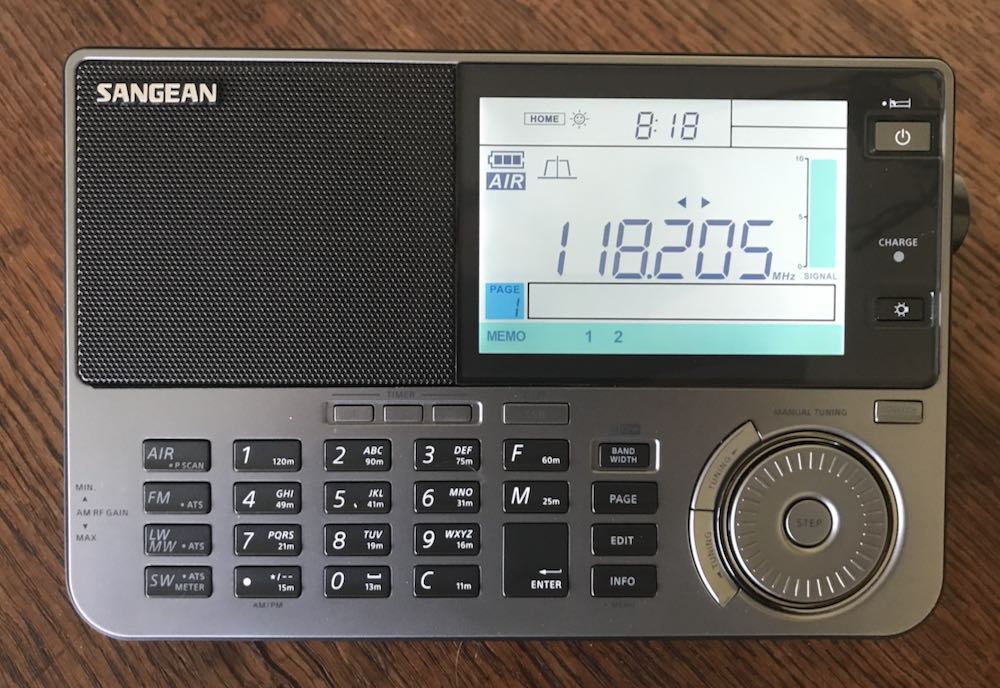
Dan reviews the Tecsun PL-330 portable shortwave radio

Many thanks to SWLing Post contributor, Dan Robinson, who shares the following guest post:


Tecsun PL-330:  The Powerful Mini With One Serious Design Issue

by Dan Robinson

As SWLing Post readers know, I have a huge radio collection – including premium receivers and portables, now nearly 100 in all.

So, these days I am hesitant to add too many, but I continue to take interest in what companies such as Tecsun and Sangean are doing in the way of stuffing the latest chip technology and capabilities into portables radios.

The last receivers I reviewed included the Tecsun PL-990x, which has developed quite an enthusiastic following since its consumer version was released in 2020, and the Tecsun S-8800.

Out for some time now is the Tecsun PL-330.  By now there are many reviews of it on You Tube and elsewhere.

It’s become a familiar observation for many of us – if this were still the 1960’s and 1970’s – even into the 1980’s, which could be considered the golden days of shortwave and we had receiver technology like this, well what a joy that would have been.

When I traveled around the world both before and after college, and professionally for Voice of America in the 1980s and 1990s, wow what a good time I could have had with today’s portables!

Some world band portables radios back then were superb performers.  The Grundig Satellit series 500/700/600/650 come to mind – but these were not exactly what I would call small portables.

Paging through Passport to Worldband Radio from 1990 (wow, that’s 30 years ago!) you see others such as the SONY SW-1, Panasonic RF-B65, and of course, the SONY ICF-2001D/2010 which introduced killer synchronous tuning technology in the 1980s and remains popular today decades after it first appeared.

Also available were the SONY ICF-SW55 and later in competition with the 2010, the SONY ICF-SW77.  Today, I have four SW-55s and two SW-77s and still use them regularly.

Tabletop receivers back in the good ol’ days offered multiple selectivity positions.  One of those was the Lowe HF-225 (and later Europa version) along with the HF-250, Kenwood R-5000 and R-2000, ICOM IC-R71A, and Yaesu FRG-8800 among many others.

But as far as smaller portables go, features such as synchronous detection and multiple selectivity were still pretty limited, and a number of receivers didn’t offer selectable synchronous as was eventually offered on the Drake R8B and later production of the SW-8.

The RF-B65 by Panasonic – which today remains sought after for its amazing sensitivity – was hobbled by having a single selectivity position.  Same with SONY’s SW-1 and SW-100, and 7600GR, though SONY’s PRO-80 had two bandwidths.

Indeed, it wasn’t until Eton brought out the E-1, with its three bandwidths combined with Passband Tuning (though no notch filter) that a portable finally reflected capabilities of some of the better tabletop radios (though lacking a notch filter).

The Grundig Satellit 800 was close in competition with the E-1 (though the earlier Sat 600/650 series also had multiple bandwidths) but was bulky.

Fast forward to 2021 – credit due to Tecsun and more recently to Sangean with its 909X2, for some years now we have enjoyed Asia-originated portables with multiple selectivity and synchronous mode, though sync implementation on some has left much to be desired.

Which is where the PL-330 comes in.  When I look at the 330, I am reminded of one of the now ancient SONY portables, the ICF-4920 which was a super small slide-rule receiver that nevertheless was quite sensitive.

Like the 4920, which you could easily slip in a pocket, the PL-330 is a perfect travel portable.  Only the Belka-DX SDR and still wonderful SONY SW-100 compete in terms of performance and size.

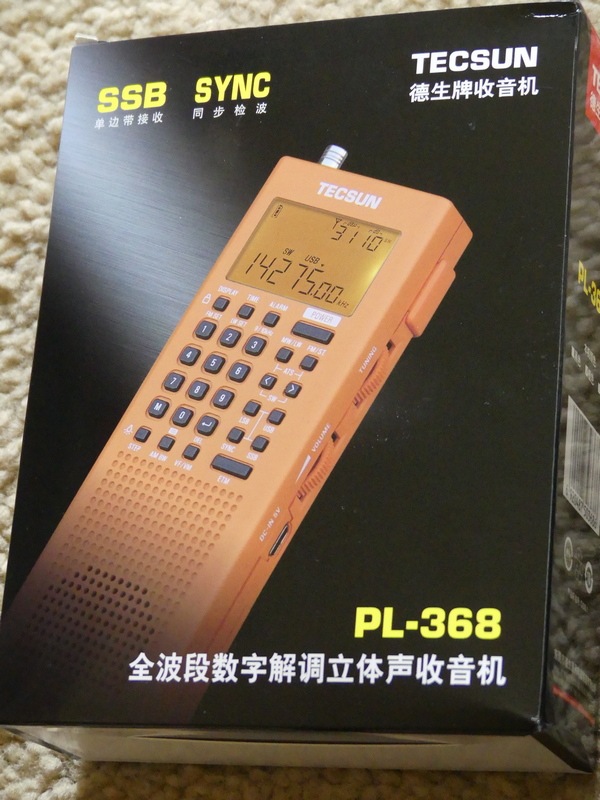
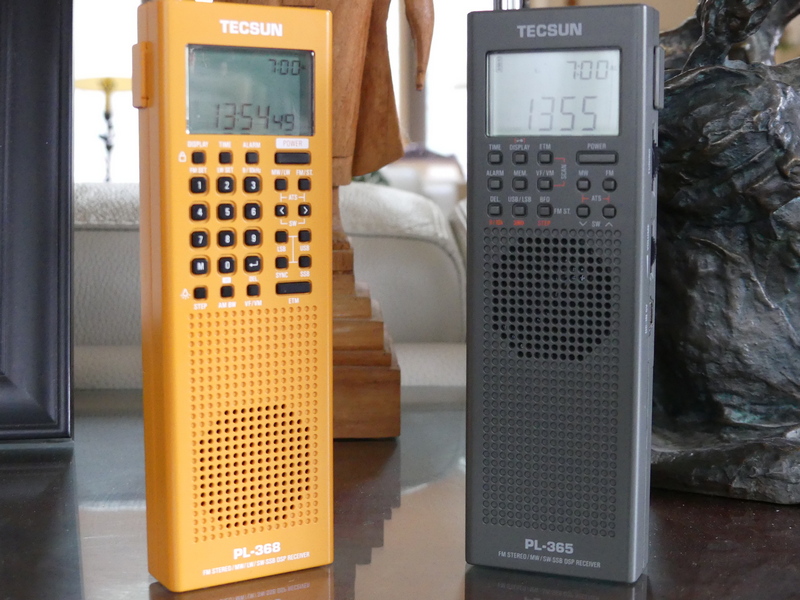
The 330 is basically a PL-990x in miniature:  smaller speaker obviously, shorter antenna, no bluetooth capability or card slot.  But as many people who frequent the Facebook groups have observed, pretty much anything the 990x can do, so can the 330.

This radio has ETM/ATS tuning, synchronous detection, multiple bandwidths in AM, SSB and MW, FM mono-stereo speaker control, alarm/timer functions, external antenna jack, display light, and other features.

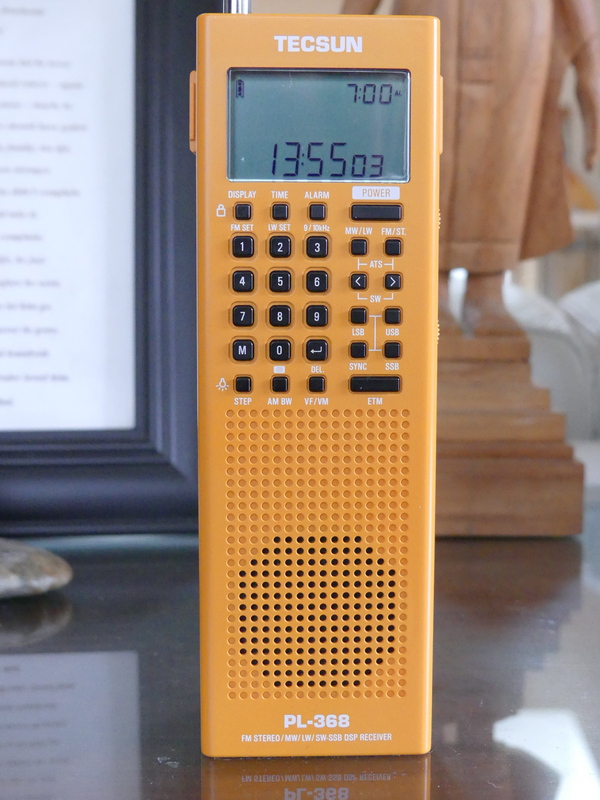
Tecsun decided to go with a BL-5C battery here – the same with the new PL-368.  I think this is unfortunate, since it requires one to obtain a number of those flat batteries if you want to travel and not have to re-charge.  On the other hand, this is not a crippling design decision.

What is an unfortunate design problem, in my view, involves the simple question of tuning the receiver.

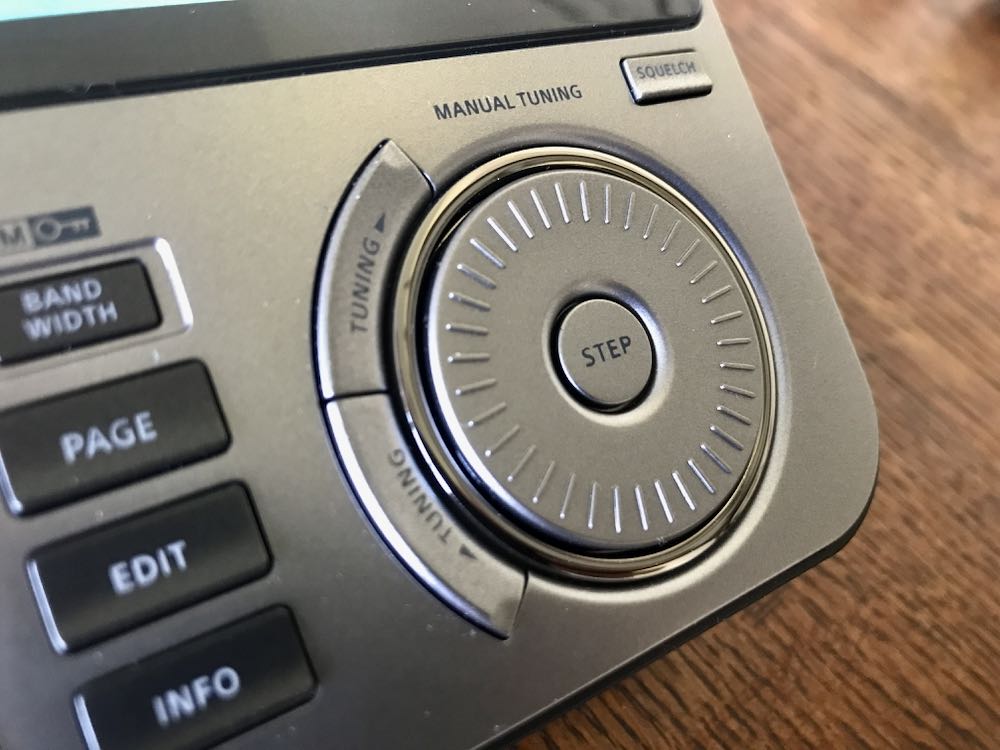
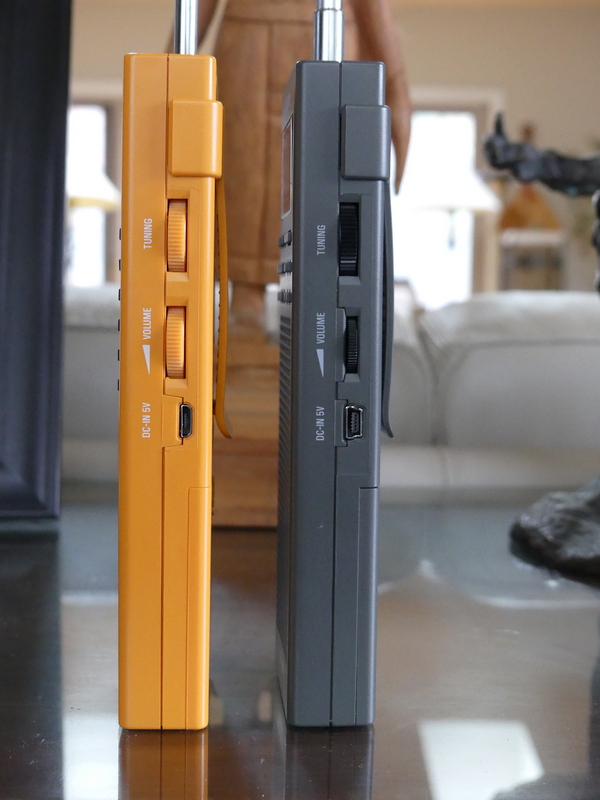
The main and fine tuning knobs on the right side of the PL-330 are embedded into the cabinet just far enough as to make easy rapid finger tuning of the radio nearly impossible.

In fact, in my testing it’s impossible to thumb tune the radio more than 10 kHz at a time.  The same applies to using the lower knob which controls volume.  When in FM mode, this issue make tuning just as frustrating almost forcing one to use rapid scan mode.

Another puzzler:  Tecsun limited bandwidths in AM SW to three, while in SSB you have 5 bandwidth options.  In AM mode, you have a 9 kHz bandwidth, another puzzling choice.  Longwave too is limited to 3 bandwidths.

But overall, none of these problems really knock the PL-330 down very far.  This is one mini powerhouse of a radio, one that makes you think “wow, if I had just had this back in 1967 or 1973 or 1982.

Some additional thoughts.  My particular PL-330 was supplied by Anon-co but is a pre-production version and so does not have the latest firmware.  Thankfully, I have not experienced the issue of SSB tuning running in reverse as others have.

NOTE:  As most users know by now, but some newer users may not, you cannot charge one of these radios – whether Tecsun or Sangean – using the mini-USB port and use them at the same time. . . there is just too much noise introduced from the charging process.

This little mentioned feature:  just as the Tecsun 909x has a re-calibration function, so does the PL-330.  Tecsun itself initially declined to acknowledge this, but finally confirmed through Anon-co.

The procedure: Switch to LSB/USB.  If the station is not zero beat, hit STEP button once and then quickly again to move the flashing display down arrow so it’s above the far right digit.  Then fine tune the station for zero beat.  Hold LSB or USB in for a couple of seconds.  The LCD blinks.  You then have zero beat – but be sure to repeat the process for LSB and USB.

I should mention that just like on the 990x, the re-calibration process doesn’t mean the receiver is then zeroed up and down the shortwave bands.  You will likely have to repeat the process from, say 25 meters, to 19 meters, to 49 meters, etc.

I have come to enjoy using the PL-330 here in my house, though like other portables in my collection I need to position it in one particular corner of my home away from incoming cable TV lines.

Belka-DX and Tecsun PL-330

The PL-330 and the Belka DX are currently king of the pile when it comes to my smaller travel portables.

I fully expect there will be no further receiver development by Tecsun after the PL-330/990x/H-510 radios – but that company will certainly have left us with some great receivers as the days of shortwave approach an end.

Video

Guest Post: Indoor Noise and Ferrites, Part1

Many thanks to SWLing Post contributor, TomL, who shares the following guest post:


Indoor Noise and Ferrites, Part 1

by TomL
My magnet wire loop antenna on the porch reminded me to revisit aspects about my noisy Condo that I still needed to understand.  Some RF noise I could control if I could find the right kind of information that is understandable to a non-engineer like me.  There is a lot written about the general problem of noise and radio listening, for instance this ARRL article with web links to research – www.arrl.org/radio-frequency-interference-rfi, but I needed to get more specific about my particular environment.
I had tried some common clamp-on TDK ferrites I had obtained from eBay a long time ago but they only seemed to work a little bit.  I have since found out these are probably the ones which are widely used on home stereo system connections used to reduce noise on those systems.  There must be a better way.

The more I researched topics, like a portable “Loop on Ground” antenna, or, using RF chokes on the magnet wire loop, it dawned on my feeble, misguided brain that I was wrongly thinking about how to use ferrite material.  For one thing, the material used to suppress RF noise is made with a certain “mix” of elements, like Manganese-Zinc, that electrically “resists” a specified frequency range.  Fair-Rite has a useful Material Data Sheets web page which lists the Types of ferrite material.  For dealing with noise (at the Source causing the problem), I needed to use the right kind of “Suppression” materials and proper placement.  So, it (partly) made sense why the TDK snap-on ferrites might not fully work to reduce certain noise coming from my computer screens, LED lights, USB devices, and cheap Chinese-made power adapters.

A very good  paper is by Jim Brown (K9YC) of Audio Systems Group entitled, “Understanding How Ferrites Can Prevent and Eliminate RF Interference to Audio Systems [PDF]”.  There is a longer paper speaking directly to Amateur Radio folks, but the Audio version is simpler and it uses some of the same  graphs and ideas.  I was drawn to the very detailed Impedance measurements of many different “Types” of ferrite material used for different noise mitigation.  I remember the traumatic pain of my college experience trying mightily to understand the Van Vlack Materials Science text book to no avail.  But Jim’s paper reminded me of the importance of using the correct type of ferrite material and in an optimal way that reacts favorably in the target frequency range to solve a particular noise problem.  So, what are my problem areas?

Shortwave Noise

Loop antennas have been what I have experimented with the most.  They do not pick up as much man-made noise (QRM) and they have a space saving footprint.  Fortunately, there is a wooden porch where these things have been tried.  I had successfully built a broadband amplified “ferrite sleeve loop” (FSL) in the past.  It was useful for a while but it fell into disrepair and also the Condo building has steadily increased in noise output.  The amplifier was just amplifying the noise after a while.  I also tried phasing two antennas but found the ever increasing noise cloud was coming from all directions and I could not null it out.  I even tried a “mini-whip” from eBay but that just produced a wall of noise.

I recently tested AirSpy’s YouLoop written about before, and the results were good.  However, it seemed obvious to me that it was too small as a passive loop to capture shortwave signals strongly enough without resorting to another amplifier attached at the antenna and would not improve the signal/noise ratio.  My current solution is a unamplified stealth magnet wire loop about 32 feet in circumference.  In that article, I mention things like common mode RF chokes at both ends of the antenna connection, horizontal polarization, and basically accepting that only the stronger shortwave signals will be received in a predictable manner.  I think for now, this is about all I can do for shortwave and mediumwave noise, as far as my own Condo-generated noise. Neighborhood noise is a different topic.

VHF Noise

I then started to isolate which devices caused which kind of noise when listening to my outside amplified antennas for FM/VHF and UHF-TV transmissions.  Many consumer Power adapters make a lot of noise from VLF up into UHF ranges.  One thing I did right was to try a 10 pack of these little miracle “Wall Wart” toroids from Palomar Engineers.  One by one, I put one of these small toroids (19mm inside diameter) on my home AC adapters as shown in the pictures, and the noises started disappearing.  It does not explicitly say, but I believe it is Type 75 material which suppresses the noise generating AC adapter (at very low frequencies) when wrapped 8 – 12 times.

Most egregious of these was my CCrane FM2 transmitter.  A strangled warbling sound kept emanating from the monitor closest to my laptop. Installing ferrites on the laptop and back of the monitor were not working.  I moved the FM Transmitter and noticed a reduction in noise.  So, I put one of these little toroids on the power input of the device and the noise disappeared.  Apparently, it was picking up noise from the monitor (as well as its own power adapter) and rebroadcasting it to all my other radios!  The strangled warbler is no more, I choked it (HaHa, sick bird joke).

While looking for the monitor noise, I put the eBay TDK ferrites on all the USB ports and HDMI ports.  This has helped greatly on VHF and confirms my suspicion that these cheap TDK ferrites are indeed a common type of ferrite material.  Some informative graphs can be seen in Jim Brown’s Audio paper mentioned before.  One example might be Figure 22, which shows the #61 Series Resistance which peaks around 100 MHz when using a toroid with three “Turns”.  More confused, I could not find a definition of a “Turn”.  Eventually, in his longer paper to Amateur Radio operators, he defines it, “…is one more than the number of turns external to the cores”.  Somewhere else he describes using many single snap-on ferrites being electrically equal to just one toroidal ferrite with multiple Turns.  And interestingly, more Turns shifts the peak impedance substantially lower in frequency.  So, using the graphs he supplies, one can target a noisy frequency range to try to suppress.

I then put 6 of the TDK ferrites on the VHF input to the AirSpy HF+.  Some FM grunge was reduced and was thankful for that.  The rest of the background noise truly seems to be coming from the outside picked up by the amplified antenna.

Also, I juggled a couple of the amplifiers around and now have separate VHF/FM and UHF/TV amplifiers which cleaned up the FM reception a little bit more – https://www.youtube.com/watch?v=zkDsy95et2w .

UHF TV Quality

On a whim, I put the balance of the TDK ferrites on the FM/TV splitter input cable, 10 in all.  The FM reception did not improve but the Over The Air UHF TV reception Quality improved noticeably.  My weakest TV station now has a stable Signal level and the Quality is pegged at 100%.  This is a nice surprise since it means that now all local TV stations on UHF will come in cleanly without dropouts and I can view all digital subchannels.  I was even able to rescan and added two more low-power stations never seen before. ?

LED lights

I have common LED lights hanging over a number of fish tanks and some grow lights over an indoor plant box and can hear this noise on upper shortwave and higher radio bands.  In a future article, I will explore RF noise from lights as its own special topic. For instance, why do some LED lights generate RFI and how to know before buying (I am using BR30 spot bulbs from name brands)?  Also, there is a new kind of LED “filament” light out now that uses much smaller LED’s on both sides of an aluminum strip, greatly reducing electromagnetic noise output (or do they??).  More questions than answers.

I will explore creating my own customized AC power cord attached to the AC power strips of the LED lights.  I will need to test this for safety and efficacy, so I will want to take some time to do this right.  The hope is that, using Jim’s info, I will be able to create a broad spectrum RFI suppression AC power cord and cost less than $30 each cord.  We’ll see.

Finally, I will look at “stacked” toroids using different mixes of ferrite Types, creating a custom RF suppression better than using just one Type of ferrite material, using AC cords as the main examples. For instance, the best set of graphs in Jim’s paper, in my opinion, are Figures 21 and 24 compared to each other.  Something I did not know before is that one can not only use multiple turns on a single toroid to get a lower, peaked frequency response, but also stack multiple toroids of the same Type to get a smoother frequency response.  Then on top of this, combine that set with other Types to create a customized frequency response curve.

Radios are quieter now.  Those pesky grow lights are still a problem as well as the upstairs neighbor’s lights which seem to be on a timer, making FM reception noisy again after 5pm!

Michael pairs the Tecsun PL-990 and the AOR LA400

Many thanks to SWLing Post contributor, Michael Ye (BD4AAQ), for the following guest post:


In the Loop: PL-990 and LA400, a Perfect Match

by Michael Ye (BD4AAQ)

PL-990 and LA400

I have been a happy owner of Tecsun’s PL-880 world band receivers for years. In fact I have two PL-880 radios, one sitting at home and the other staying in my car. So, after Tecsun introduced the new model PL-990 in late 2020, it didn’t take me long to decide to purchase one. In this article I will discuss the Tecsun PL-990 receiver working with loop antennas, while referencing some relevant features of the PL-880.

Overall performance of the PL-990

Merely by its model number, it is easy to regard the PL-990 as an upgraded version of the already highly reputable PL-880. As expected, the PL-990 can very much be regarded as a combination of all the existing fine radio features of the PL-880 AND the music and bluetooth additions, with a number of improvements for instance in shortwave and medium wave performance. The ergonomic design of the PL-990 looks and feels different from that of the PL-880 in a number of ways. Although I may prefer the the more slim and elegant appearance of the PL-880, the PL-990 gives a more rugged and durable feeling, among other improvements over the older PL-880.

Working with loop antennas

The PL-990 and the PL-880 side by side

Living on the twelfth floor of a condominium in the crowded Shanghai, I have often been fascinated with loop antennas. As a licensed amateur operator, I have used the MFJ-1786X and have been impressed with its performance. On reception, I also find loop antennas appealing, as they are able to pull in weak signals while noticeably reducing electro-magnetic interference rampant in the urban environment. I have an unbranded shortwave loop antenna which I believe is based on and performs similarly with the AOR LA320. Despite its excellent performance, it is only good for the 5MHz – 15MHz shortwave range. So a few years ago when AOR launched the new LA400 wideband loop antenna, I bought one, which I often pair up with the PL-880 and other radios for shortwave listening, and get satisfactory results!

Antenna Switch on the PL-990

Now, back to the PL-990. When I first tried the PL-990 with the LA400, the results were generally good but not as good as as compared with using the same LA400 on my PL-880. This puzzled me for a day or so until I realised that the PL-990 actually has an antenna switch which the PL-880 does not have. The switch is used to toggle between an internal antenna (i.e. the built-in ferrite bar/telescopic antenna) and an external one (e.g. the AOR LA400). So a new PL-990 user who has often operated the PL-880 when first using the PL-990 could easily ignore the switch which should be pushed to “Ext” when plugging in an external antenna. This explains why the PL-990 may suddenly appear less sensitive than expected.

“Ext” antenna input for all bands

Contrary to the PL-880 whose external antenna socket is only good for shortwave signal input, the PL-990’s external antenna socket works with all bands, from long wave to FM. I found this to be an important and very useful change, and a pleasant surprise for my LA400, which covers a wide range of frequencies from long wave to medium wave to FM and up to 500MHz.

Once the LA400 is connected, the correct band selected, and last but not least the antenna switch turned to “Ext”, the PL-990 and the LA400 work like a charm in the indoor setting, remarkably better than the built-in telescopic antenna. With the loop connected, while there is not much to expect on the long wave band because of very few long wave stations remaining in the world, reception improves considerably on all other bands including on the medium wave and FM bands, as is also reflected on the upper right hand display of the signal strength and S/N ratio readings. Needless to say, performance on shortwave is as good as on the PL-880, if not better (again, remember to push the antenna switch to “Ext” when using it on the PL-990). Using the AOR loop on the PL-990 for FM reception is somewhat different as there does not seem to be a noticeable tuning point. Simply select the “Others” band, which appears to be broad enough for fair FM reception.

Tecsun AN-200 loop antenna

It is worth mentioning that I have a Tecsun AN-200 tunable medium wave antenna, which I have not used often. As its name suggests, it is for medium wave reception only. I tried it on the PL-990. Works great.

The AN-200 and the PL-990

It is hard to tell which one, the PL-LA400 or the AN-200, fares better, as the signal strength and S/M readings are quite close. They both perform better than the radio’s internal ferrite bar antenna to varying degrees, by improving the signal strength or the S/N ratio or both. The Tecsun loop is a passive antenna, meaning no power is required, making it easy to be used “wirelessly”, by simply placing the loop close to the radio, without having to be connected to the radio via a cable.

Chocolate, our house cat, tries to enhance reception with her tail

It should be noted that in the “wireless” mode of the AN-200 the antenna switch on the PL-990 should remain at “Int” so as for its built-in ferrite bar and the loop to couple with each other.

Radio on TV: Science Channel Segment

Image Credit: Wiki Logos Public Domain

Guest Post by Troy Riedel

In keeping with a popular theme here – “radio in/on TV & movies” – I wanted to share the following that I saw on the Science Channel (part of the Discovery Network):

Show: What on Earth?
S5 Ep2
Originally aired 1/15/19

The above referenced episode has a segment on Cuban Numbers Stations – it’s at minute-45 in the 60-minute broadcast version with commercials.

Of course the show’s premise is “what’s this” so the segment starts out (as every segment does) analyzing a satellite photo and shapes (that turn out to be antennas). This segment is more about the “set-up” than the numbers stations themselves. It’s not really geared for radio enthusiasts but rather as something that may interest the general viewer – that there are active “espionage” Cuban Numbers Stations, when & why they started, and a brief mention of the arrests of what eventually became known as the Cuban Five.

The entire segment is only 5-minutes (approximately the same length as their “non-feature”, or minor segments).

I know it’s available free On Demand via Dish Network & is likely available for free on other services. Again – this won’t enlighten anyone who already knows there are “Cuban Numbers Stations”, but it is nice to see shortwave radio on mainstream “educational” TV programs.

The “Signal Sweeper”: How to build a portable Wellbrook loop antenna

Many thanks to SWLing Post contributor, Matt Blaze, for the following guest post:


The “Signal Sweeper”, a portable Wellbrook antenna setup

by Matt Blaze

Here’s a very simple construction project that’s really improved my travel shortwave and mediumwave listening experience.

When I go somewhere interesting (whether a day trip on my bike or a longer excursion to an exotic locale), the two things I’m sure to want with me are my camera gear and at least one good receiver. Fortunately, there are plenty of good quality shortwave receivers to choose from these days; the hard part is packing a suitably portable antenna that can do justice to the signals wherever it is I’m going.

I’ve long had a Wellbrook antenna on my roof at home. These wide-band amplified loops famously enjoy a reputation for excellent intermod and noise rejection, as well as an almost magical ability to pull in signals comparable to much larger traditional HF and MF receive antennas. A portable Wellbrook – something I could pack in my luggage that performs as well as the one on my roof, would be just ideal.

Fortunately, Wellbrook sells a “flex” version of their antenna intended for just this application, the model FLX1530LN. It’s essentially just the amplifier of their fixed-mount antennas, equipped with a pair of BNC connectors for you to attach a user-supplied ring of coaxial cable that serves as the antenna loop. This way, you don’t need to travel with the awkwardly large 1 meter diameter ring of aluminum tubing that makes up the normal Wellbrook. You can just bring a compact spool of coaxial cable and configure a loop out of it when you arrive at your destination.

The tricky part is how to actually form a stable loop out of coaxial cable without needing lot of unwieldy supporting hardware. In particularly, I wanted something that could be set up on a camera tripod to be freestanding and easily rotated wherever I happened to find myself wanting to play radio. The key would be finding or making some kind of mostly non-metalic support for the coaxial loop that could be folded down or collapsed to fit in my baggage or backpack for travel.

And then I found it: a humble 3-section telescoping broom handle sold on Amazon for about $15 that’s exactly the right size: the “O-Cedar Easywring Spin Mop Telescopic Replacement Handle“. It collapses to 22 inches (just short enough to fit in my suitcase), and extends to 48 inches (comfortably long enough for a one meter diameter loop).

Normally, a wire loop would need both vertical and horizontal supports in a cross configuration, but by using a reasonably stiff coaxial cable, I figured I could get away with just using the broom handle vertically. I found that LMR400 (the basic kind, not the “Ultraflex” version) holds its shape quite well in a one meter loop supported this way.

At this point, it was just a matter of the details of attaching and mounting everything together into a portable package.

A one meter diameter loop, which is the ideal size for the Wellbrook amp, can be made from 3.14 meters of cable (ask your middle-school math teacher). That’s about 10 feet for Americans like me. High precision is not required here, so I just cut 10 feet of LMR400.

The next step is to attach the middle of the cable to the top of the broom handle. The O-Cedar handle has a loop at the end for hanging it on a hook in your broom closet. It happens to be just the right diameter for LMR400, but not with BNC connectors attached. So you’ll have to thread the cable through before you crimp or solder on the with connectors. (See photo above). I used the Times Microwave crimp-on BNC connectors, which I had some extras of lying around. I also put some shrink wrap on the cable at either side of the broom loop, just to keep it from slipping out and becoming unbalanced, but that was probably unnecessary.

Now I needed a way to to attach the Wellbrook amplifier to the other end of the handle, as well as some way of mounting the whole thing to a camera tripod. My first thought involved a lot of duct tape. But I wanted something more permanent and reusable.

The key is something called an “L-Plate”, which is a piece of hardware intended to allow you to mount a camera to a tripod in either “landscape” or “portrait” mode. It’s basically two tripod dovetail mounts attached at a 90 degree angle. I used one that was in my junk box, but you can buy them new or used on eBay. I also needed a clamp to attach the L-plate to the broom handle. I used the Novoflex MiniClamp 26, which I got from B&H Photo. The clamp attaches to the inside of the L-plate with a captive screw. (See photos)

Next, I attached the amplifier to the other side of the L-plate using an ordinary screw-on hose clamp. Easy enough, and surprisingly sturdy.

And that’s it. To assemble the antenna, just extend the broom handle to about one meter, allowing for a roughly one meter diameter loop that’s as round as you can make it with the amplifier at the bottom. Then clamp the L-plate to the bottom of the handle so that the handle is just above the base of the plate, and attach to the tripod. (See the photos).

The Wellbrook is powered over the feedline with a 12VDC bias-T injector. So you need a clean source of 12 volts. I use a cheap Talent Cell battery pack (available on Amazon in various capacities). These actually deliver 11.1 VDC (3x 3.7V), rather than the 12V the Wellbrook calls for, but it works fine in practice. I can also use the same pack to power the radio and digital audio recorder.

In the photos, you can see the finished antenna setup on my roof, with my permanent base Wellbrook on the rotor in the background. The performance of the two antennas is quite comparable.

(Note that there’s an eBay seller that makes a somewhat similar travel loop. The performance is quite good under normal conditions, but it is a bit more subject to MW overload when near a transmitter site. So I prefer the Wellbrook, which is much less susceptible to overload, I’ve found.)

My usual complete travel setup is either a Reuter RDR Pocket C2 radio or a Sangean ATX-909X (recently upgraded to the X2 model). Both these radios work well with the Wellbrook. I use a Sound Devices Mixpre 3 to record airchecks in the field. In the photos, I’m on a rooftop DXpedition listening to Toronto traffic and weather from CFRX on 6070 kHz on a warm later winter afternoon.

The whole setup breaks down for travel pretty easily, and fits easily in my suitcase, backpack, or bike bag (see photos). I usually bring a larger tripod than this if I’m also taking my camera.

The Wellbrook setup has really made bringing a receiver into the field a lot easier and less uncertain. There’s no worry about finding trees or other supports for wires, and packing and unpacking is quick and easy. Have fun!

Guest Post: Mark’s review of the Yaesu FT-891 as shortwave broadcast receiver

Many thanks to SWLing Post contributor, Mark Hirst, who shares the following guest post:


Using the Yaesu FT-891 for SWLing

by Mark Hirst

Woodland Operation in North Hampshire

Introduction

While I have a small collection of portable shortwave radios for outdoor listening, I’ve been looking to fill a gap in my amateur radio lineup for a while. Outdoor operation has become important in recent years as solar cycle conditions deteriorated along with rising levels of QRM in urban neighbourhoods. The ICOM IC–7200 with Wellbrook loop stays at home fighting a losing battle with PLA noise, while the very portable FT–817ND does occasional data modes contacts and outdoor listening. Somewhere in the middle, the FT–891 promised to provide a modern and more powerful data modes station, a radio to take on holidays, needing external batteries, but portable enough for walks into the country side. Earlier this year, I bought one new from my local ham radio store, and what follows are my findings and observations so far on shortwave listening.

Audio Characteristics

I’ve accumulated hundreds of recordings of VOA Radiogram and Shortwave Radiogram since 2013, so a recent woodland expedition with the FT–891 was an opportunity to compare a recording made with it against those of other radios I’ve used.

The most striking difference is the lack of frequencies in the lower part of the audio spectrum along with a distinct cut off at around 5kHz.

This is easily visualised in the following comparison between the FT–891 and the Tecsun PL–680. Note the conspicuous pillar associated with MFSK32 from these Shortwave Radiogram broadcasts, and interfering RTTY on the FT–891 recording:

Audio Frequency Analysis

While this audio profile may not be to everyone’s taste, the extra sparkle yields voice audio that is clear and distinct. I find those low frequencies make the audio muddy and tiring to listen over long periods, so I’m quite happy with this.

When listening to speech based broadcasts through the top mounted speaker, the audio is also precise and intelligible, and provides more than enough volume.

You can judge for yourself from this 2 minute video I made recently:

Headphones, External Speakers and Recording

You also have the option of connecting an external speaker or headphones to a socket on the side of the radio. Be aware that the audio level is different for headphones, and is controlled by a small switch hidden behind the front panel. I expect people may go for one option such as headphones and then stick with it, rather than continually detaching the front of the radio and moving the delicate switch back and forth.

If you turn the volume right down you will hear a hiss, although its really only noticeable if you face the speaker directly and get close. Listening outdoors with the sounds of nature around you? It’ll be fine. There’s no way to avoid it with headphones of course, with forums suggesting inline resistors or high impedance headphones as solutions.

Audio recordings can of course be taken from the headphone socket, but you will get better results from the data port on the back. I use a UD04YA cable which provides 3.5mm audio in and audio out jacks, plus a USB cable to provide PTT functionality. It’s meant for data modes operation with the FT–817, but I have used it successfully with the FT–891 for PSK contacts using fldigi, eliminating the need for CAT control through a second cable to the radio’s USB port.

Customising for SWL

The advanced manual for the FT–891 helpfully provides a section called ‘Tools for Comfortable and Effective Reception’, so I began configuring the radio using the guidance there.

First up was re-configuring the front panel RF/Squelch knob to only control RF gain (Menu 05–05). I use the same configuration on my FT–817ND to dial back RF gain, allowing the AGC to pick up the slack.

Next was enabling the awkwardly named Insertion Point Optimisation (IPO) which switches out the pre-amplifier. It’s interesting to note that this setting can be associated with a stored memory channel, which became relevant later when I used CAT control to program some favourite frequencies.

The radio has an attenuator, although I’ve not found a need for it so far.

The AGC can be configured as Auto, Fast, Mid, and Slow. Since it is not a ‘set and forget’ setting like the RF control or IPO options, it might be a good candidate for assigning to one of the three user definable buttons below the LCD screen.

Audio can be fine tuned using four menu options (06–01 to 06–04) to control high and low frequency cutoff, but after some experimentation I have turned these options off.

As an aside, I found the LCD backlight, button illumination and TX/Busy lights too bright for indoor use, so dialed them back to their minimum values.

Listening Tools

The radio provides some additional tools as part of its IF DSP. The features of particular interest are Digital Noise Reduction (DNR), Noise Blanker, IF Notch Filter, Digital Notch Filter, and Narrow IF filter. Contour, IF Bandwidth, and IF Shift are not available in AM mode, and you must resort to SSB to get them. More about SSB in a moment.

Out of this wide array of options, I’ve only explored Digital Noise Reduction and the Narrow IF filter so far, as they offer fairly immediate gains without too much configuration.

Narrow filter simply reduces the total IF bandwidth from 9kHz to 6kHz, which gives some immediate relief to higher frequency noise. In tougher conditions at home tackling QRM, the harsher sound it causes has sometimes been counter productive.

At the outset, it’s obvious that the DNR capability of the FT–891 is a powerful feature. Rather than providing a level of processing that varies from a little to a lot, the radio provides 15 different ‘algorithms’ which can be selected for best results. This means you will tweak the DNR setting to address signals on a case by case basis.

Comparing it with the IF noise reduction of my ICOM IC–7200, the ICOM has a scale of diminishing returns as the DSP level is turned up, whereas the FT–891 seems to start strong and it’s more about picking the algorithm that sounds best.

After testing the DNR on AM broadcast stations away from the noise at home, voice audio sounds distant and words can be clipped, which is fine for SSB amateur radio contacts, but makes me think it’s not a feature of first resort when trying to improve broadcast reception. In those circumstances, the narrow filter might be a better option.

The Trials of Single Side Band

On the matter of SSB and using it to combat adjacent or co-channel signals, the radio offers a single SSB option in the mode menu, picking USB or LSB for you automatically based on the current band. When tackling broadcast band interference however, you want the option to go in either direction. The radio also changes the current frequency by 700Hz when SSB is selected, which then has to be corrected with the main dial.

You would begin by switching to SSB mode by pressing and holding the band button. If you’re lucky, the default setting is the one you want.

If it isn’t, activate the settings menu with a long press of the F key, go to the menu option SSB BFO (11–07), select it and use the multi-function knob to change the mode away from Auto to LSB or USB.

As you are doing this, the VFO will change to LSB or USB too. Leave the setting on the option that suits your needs.

If you exit the menu option without saving (pressing F), the mode will remain changed, but the override is not saved. This can be a useful quirk because next time you turn the radio on, it will be back in auto mode.

If you commit the override by pushing the multi-function knob instead, the radio will stay in manual mode until you remember to return to the menu and restore automatic behaviour again.

It’s a needlessly complicated system, as I discovered recently while recording another Shortwave Radiogram broadcast. Even after testing the procedure previously for this article, the radio was determined to stay in LSB no matter what.

Memory Programming

Since the radio has no keyboard for direct frequency input, an early priority for shortwave listening was to program some of the 99 memories available. My plan was to have some favourite broadcast stations, along with WX, Volmet, GMDSS, and some data mode frequencies. To handle ad-hoc stations however, I wanted a way of moving quickly across the main shortwave bands without excessive use of the main tuning dial or multi-function knob.

Taking the official definitions of the broadcast bands between 60m and 16m, and combining those with frequency schedules, I came up with a series of frequencies 150kHz apart across each of those bands, guaranteeing that no broadcast was more than 150kHz away.

The combined list of favourites and the 150kHz stepping stone frequencies resulted in 70 memory channels in total. As I wanted to apply alphanumeric tags to those channels, and didn’t relish the prospect of entering them manually, my next port of call was the CAT control manual to see how those memories could be set programmatically.

While there is commercial software available for the FT–891, I only needed to set up the memory channels, so decided to adapt some PowerShell I’d written for another radio, sending the necessary serial port commands to configure my list.

Now that is done, I can fast travel using the stepping stone memories to the closest point in a band, then use the fast mode of the main tuning dial to move quickly to my final destination.

The following table lists my current stepping stone channels in kHz:

60m 49m 41m 31m 25m 22m 19m 16m
4750 5900 7200 9400 11600 13570 15100 17480
4900 6050 7350 9550 11750 13720 15250 17630
5050 6200 7500 9700 11900 13870 15400 17780
7650 9850 12050 15550 17930
7800 15700

Memory Access

An obvious way to access the memories is to toggle memory channel mode with the V/M button, then cycle through the memories using the multi-function knob. Depending on your memory choices, you will hear relays clicking as the radio jumps back and forth between widely spaced frequencies and bands. You will also need a good memory of your memories, so you know which way to turn the multi-function knob.

An alternative and perhaps faster method is to press the M>V button. This brings up a multi-line listing of memories that can be scrolled through using the multi-function knob. Pressing the M>V button again copies the selected memory to the VFO and leaves you in VFO mode. This avoids the radio flipping across bands and the associated relay activity.

Although it is not documented, if you push the multi-function knob on a selected memory channel in the multi-line listing rather than using the M>V button, the selected memory is activated and the radio is left in memory channel mode displaying the memory tag.

Disabling Transmit

At the time of writing, I haven’t discovered a way of formally disabling transmit, and the minimum transmit power goes no lower than 5W. Since my main interests are around shortwave listening, utility stations and an occasional data mode QSO, I have not fitted the microphone to the radio. In that configuration at least, there is no danger of me manually transmitting into a receive antenna by accident.

Outdoor Power

Reports vary on the power consumption of the FT–891. It certainly isn’t as high as the 2.0A documented in the user guide.

While some sources claim values in the region of 1.0A, my power supply shows around 0.4A at 13.8V when receiving a typical HF broadcast. You will notice where some of that power goes quite quickly, as part of the radio gets warmer.

To save weight, my preferred power supply in the field is usually a lithium battery designed to jump start smaller engined cars. This versatile 12V battery also supplies 5V USB power to phones and tablets, and can even charge laptops.

In Conclusion

Control ergonomics and screen size are factors that can detract from shortwave listening on these kinds of radios, with smaller speakers and menu options for features normally at your fingertips.

Despite this, I’m happy with the audio, and I like the emphasis on mid-range frequencies in its audio spectrum. The digital noise reduction is impressive and can tackle significant QRM environments, but for outdoor listening may not be your first port of call.

Memory presets can make tuning less laborious, while assigning key listening tools to the customisable front panel buttons should reduce the need to access menus. I may consider defining some stations with known co-channel issues to memory with preset LSB and USB variations, to allow rapid responses to interference in future.

In good conditions, I suspect there is little difference between the FT–891 and FT–817ND for general listening. The FT–817ND has produced some of my best recordings of Shortwave Radiogram. The newer radio however brings many advanced tools to bear on more difficult signals, while its band scope and full sized VFO tuning dial enable desktop style shortwave exploration.

The ICOM IC–7200 is constrained by interference at home, biding its time for when the solar cycle swings back. When it’s been out on field days, it has always been a strong performer for broadcast listening. All the important controls are upfront, but is not a trivial thing to transport on foot. While the FT–891 has impressive DNR chops, I think I prefer the ability of the IC–7200 to apply noise reduction in incremental steps. Perhaps the algorithm approach will grow on me in time.

Any amateur radio operator using the FT–891 should have no trouble using it for shortwave listening. It attracts a lot of positive reviews for its ham radio capabilities, and it looks like those features carry across for listening to the world too.


An excellent review, Mark! Thank you for sharing. 

The Yaesu FT-891 must be the most popular HF transceivers Yaesu sells today. So many of its users rave about its performance and audio characteristics. Mark, thank you for sharing your experience with the FT-891 as an SWL!

Click here to check out the affordable IP67 rated case Mark uses to house his FT-891.

AM Dxing with the Sangean PR-D15

Guest Post by Troy Riedel

Since the demise of my Sony ICF-SW100, I’ve decided to do some AM Dx’ing. A few years ago I purchased a Sangean PR-D15 as my dedicated “AM Dx Radio”. Despite owning it for a few years, I hadn’t yet really put it through its paces.

Note: My 1994 Gründig Yacht Boy 400, with its 150mm (5.9″) ferrite rod antenna, performs splendidly on AM and until this purchase, the YB400 was the radio I grabbed for AM Dx.

At the time of my purchase – if my memory is correct – the other models I had considered were the CC Radio 2 (now discontinued), the CC Radio 2E (it was a relatively new release at the time), and the Original CC Radio EP (now discontinued & replaced by the CC Radio EP Pro).

Admittedly, part of my decision was based on cost. At the time, the CC Radio 2 & 2E were priced over 2x the cost of the PR-D15 and the CC Radio EP was $15-$20 more when shipping was added. Besides the cost, I chose the PR-D15 based on a few things I had read online. But the aspect that really appealed to me is the 200mm (7.9”) Ferrite Rod Antenna and that compared favorably with the C. Crane offerings (yes – ferrite size isn’t everything, but it is an important consideration). So after having read online comments (reviews, discussion boards, etc.) about the PR-D15, I felt very comfortable with my decision and it wasn’t based on cost alone.

Frankly, I don’t really care how well my AM radio performs during the day (I hope this isn’t sacrilege). Why? During the day whether I’m in the car, working in the garage – whatever – I’ll typically stream my favorite station (NYC) via radio.com on my iPhone so I can pause, rewind, or pick-up where I left off. Until my Sangean PR-D15 can do that, I prefer to daytime stream. My “hobby” of AM Dxing is in the evening – to relax and have fun (and isn’t that what a hobby is supposed to be?). Keep that in mind as I reveal my results.

I intended to do my AM Dx Nighttime Test in one night, but I was getting so may stations that I had to extend it over two nights. I started each session around 8PM and they lasted until 11:30PM – 12AM (over 7.5-hours of testing on consecutive nights late this week). I had my PR-D15 on a lazy susan turntable and I had two nearby laptops – one to aid as an AM Station locator and the other I used to stream. Stream? Yes – to count as a recorded station I had to get a positive station ID. However, many radio programs are syndicated. Syndicated radio (and ESPN radio) can go on seemingly forever between station IDs. If I didn’t get a station ID within 15-minutes, I used the second laptop to go to the web site of the station I believed it to be to “listen live” to see if the radio and the stream matched-up (luckily live web streams are slightly behind live terrestrial radio so the IDs were easy). Often by the time I had given-up and gone to my 2nd laptop, I’d finally get an on-air station ID. I just didn’t want to waste too much time on one station and miss other stations.

Since my test extended for 2 nights, on night two I quickly dialed-through nearly all of the stations I confirmed on night one to make a quick re-confirmation they were still audible on the 2nd night.

Since I captured so many stations, I was overwhelmed trying to finish and thus I feel this test is still incomplete. My wife typically ends all of my radio playtime (my man cave is a “sitting room” off the side of the master bedroom & there is no wall – no door – so it’s completely open). But my wife and my step-daughter have a weekend out of town in mid to late March. And that means I can stay up all night and do one non-stop test session. Is it bad to say that I cannot wait to be alone?

My QTH is ~ 35-miles east of RIC (Richmond, VA) Airport. The tables below (broken into three files) are my results. Some frequencies have multiple station IDs – since when turning the radio and nulling signals, sometimes one station disappeared and another jumped onto the dial. If/when I post an update of my all-nighter, I’ll add another column to the spreadsheet to include the transmitter strength for better context. It should also be noted that I recorded straight-line distances & not driving distances (via an online straight-line/GPS calculator).

I was impressed that I successfully captured three Iowa stations. And though I find it almost unfathomable, I truly believe I was on the verge of successfully logging a station in Sandy, UT which is over 2000-miles away (there are only six stations assigned to the 1640 frequency, and given the content I [barely] heard, all indications are that it was KBJA)!

I also believe I captured at least one Super-Clear Channel station from Mexico, but unfortunately I just couldn’t successfully verify the station ID. I hope to have a future opportunity to add it to my list.

My ultimate goal is to: (1) compile & maintain a spreadsheet of every AM station that I am able to successfully ID; and (2) maintain a record of the most AM stations I was able to ID in a single one-night, non-stop session.

Despite being somewhat incomplete, I’m impressed by my results. I’m interested to see what you think so please post your comments below!

I should note that my results are strictly off the internal ferrite antenna – no external antenna, no passive loop antenna was used to enhance any signal.

To save column space, please click on each table below. A larger & easier to read image will open in a separate window or tab (depending upon your browser setting).